
Navionics
While sailing, you can view your onboard network data directly within the Navionics app — including an AIS overlay, depth, and speed information.
To get started, simply connect your phone or tablet to the Sway WiFi network. Navionics will automatically receive the data stream from your Sway Breeze.
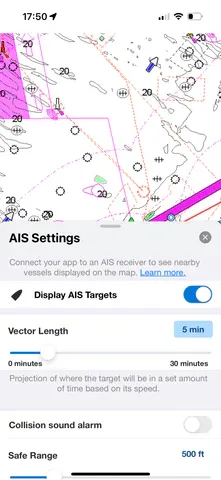
Enabling the AIS overlay
Section titled “Enabling the AIS overlay”If the AIS overlay doesn’t appear right away, follow these steps in the Navionics app:
- Open the Menu
- Go to Map Options → AIS
- Enable the checkbox next to AIS Settings
Once enabled, your AIS targets will appear directly on your Navionics chart — giving you a complete, real-time view of your surroundings while you sail.